Welcome friends to the new Gert’s Royals! We are so excited you found us.
What happened?
We moved. Our old site was hosted by Blogger at GertsRoyals.Blogspot.com. We have now moved to WordPress at GertsRoyals.com.
WordPress is a better platform that allows us to organize information more clearly, make it look better and easier to navigation. It also allows us to do some cool things, like the toggles under the Settings.
We still have a lot of work to do
The site has over 130 posts published, as of it’s launch. But we still have lot more work to do. And we promise we will get to everything eventually. This move wasn’t easy as we have to manually move all the post.
Our hope is to move over everything of value. But, we anticipate it will take sometime, especially as we are often revising and re-working posts.
When content gets move to the new site, we are removing it from the old site. That way, the information only lives in one location. We are trying to prioritize moving posts related to current events, and creating new content.
The old site still exists for now. And you can also find an archive of GertsRoyals.blogspot.com here, on Wayback Machine.
Things to Know
Buttons
We use buttons to navigate throughout the site. The different colors have different meanings. The 4 main buttons you will see:
- Normal Yellow
- The button that will take you to another page.
- Muted Yellow
- You are currently on that page.
- Red & Smaller
- There is an error. Either we ment to make this a placeholder and forgot the #. Or we forgot to put the link in the button.
- If you see one of these please let us know.
- There is an error. Either we ment to make this a placeholder and forgot the #. Or we forgot to put the link in the button.
- Grey with #
- This is a placeholder. We will get content here eventually.
Report an Error
At the bottom of most pages, you can find a red “Report an Error” section. click on the arrow to expand the section. You can then report an error.

Setting Toggles
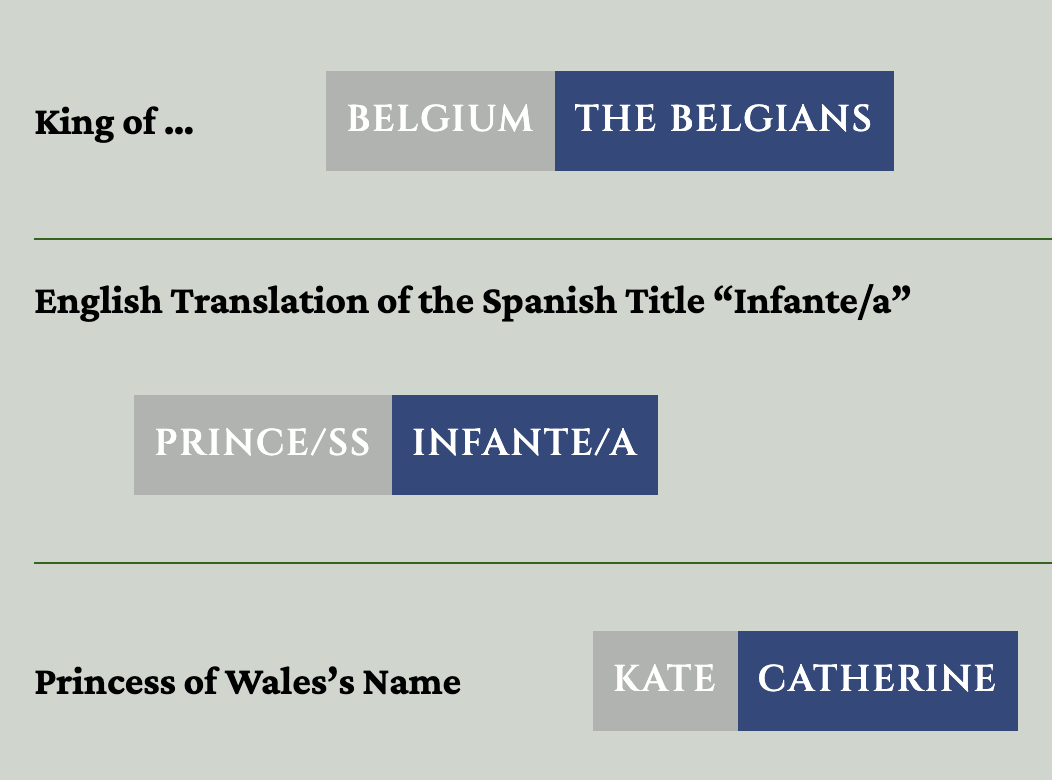
Over the years, some of you have had very strong feelings about the terminology we use.
One of the cool things were we able to build into the code, of our new site, is Toggle switches. These allow the user to choose what term they want to appear on the page. You can find these toggles under the settings at the top of the page, under the header. Click the arrow next to the word “Settings” to expand the section.

Links
To be clear and transparent, we mark our links so you can easily tell whether you’re staying on Gert’s Royals, visiting our older site, or leaving our site entirely.
- Hyperlink – This will take you to another page on this site, GertsRoyals.com
- Hyperlink with Arrows Left – This will take you to a page on our old site GertsRoyals.Blogspot.com
- Hyperlink with Arrow Up and Right – This will take you away from Gert’s Royals, to a 3rd party site
Info Boxes
Most posts end with an Info Box. These will help you navigate to other related pages. They will usually look like this with a cream colored background and black border.
These boxes as “Patterns” that
Acronyms & Abbreviations
These boxes are built with patterns, which means the same box can appear in multiple places and is updated in one central location. When a new button in added to the info box, it automatically appears everywhere that pattern is used.
Because of this, some Info Boxes may look a little sparse at first—sometimes showing only one item. This simply means that the topic is still growing, and more related pages will be added over time.




Leave a Comment!